ADVENTURES IN AUDIO
IT’S TIME TO LEVEL UP YOUR AUDIO TECH SKILLS
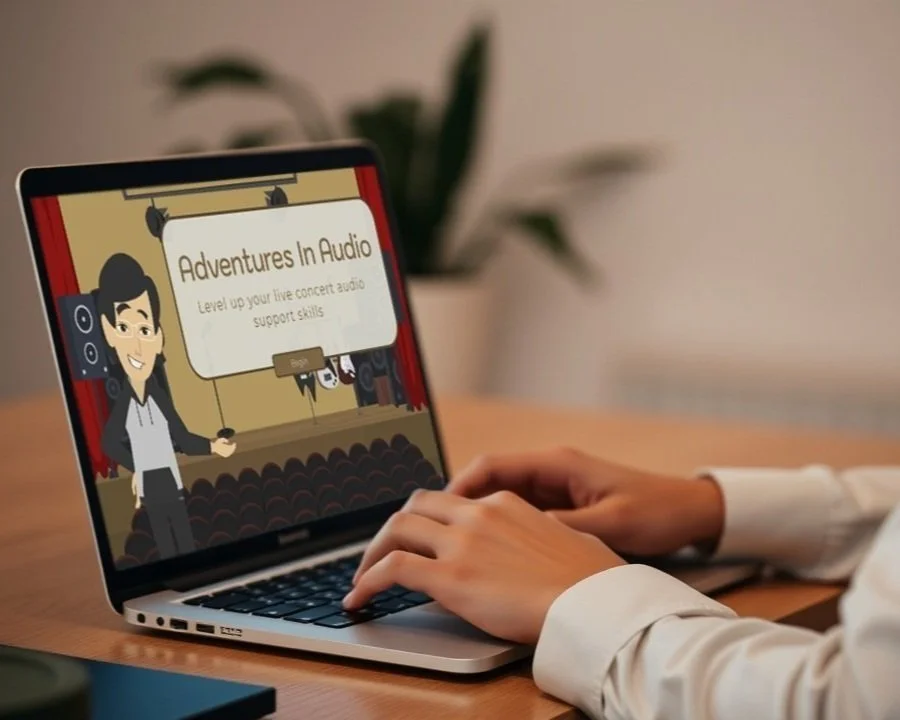
Jump into an audio adventure!
This scenario-based eLearning experience immerses you in the fast-paced world of live audio support.
Tackle hands-on challenges that will sharpen your technical skills and boost your confidence, all while preparing you to always deliver exceptional audio in high-pressure environments.
AUDIENCE: New and experienced audio technicians needing skills in live event technical audio support
TOOLS USED: Articulate Storyline 360, Vyond, Figma, Adobe Creative Suite, Canva, Chat GPT
RESPONSIBLILITIES: Instructional design (needs assessment, action mapping, storyboarding, protoyping, development); visual and audio design; character animation; development of assessments and evaluations
The Problem and SolutioN
THE PROBLEM
Advanced Sounds, a growing live audio company, specializes in supporting medium to large venues, but struggled with technicians consistently setting up shows correctly and on time. These challenges directly impacted their business, leading to delayed performances, unhappy clients, frustrated record labels, and lost contracts.
The Solution
This course addresses setup delays and technical inaccuracies by immersing learners in real-world audio challenges, gaining hands-on experience in a structured environment where they can develop and refine their technical skills.
Enhanced Problem-Solving: By tackling realistic scenarios, learners build adaptability, critical thinking, and the ability to make quick, confident decisions.
Immediate Feedback: Scenario-specific guidance allows learners to recognize strengths and address areas for improvement in real time.
Interactive Problem-Solving: Branching scenarios, hands-on exercises, and live feedback keep learners engaged and help them build critical skills.
Scalable and Consistent: Delivers consistent results, providing practical audio technician skills to learners across teams of any size.
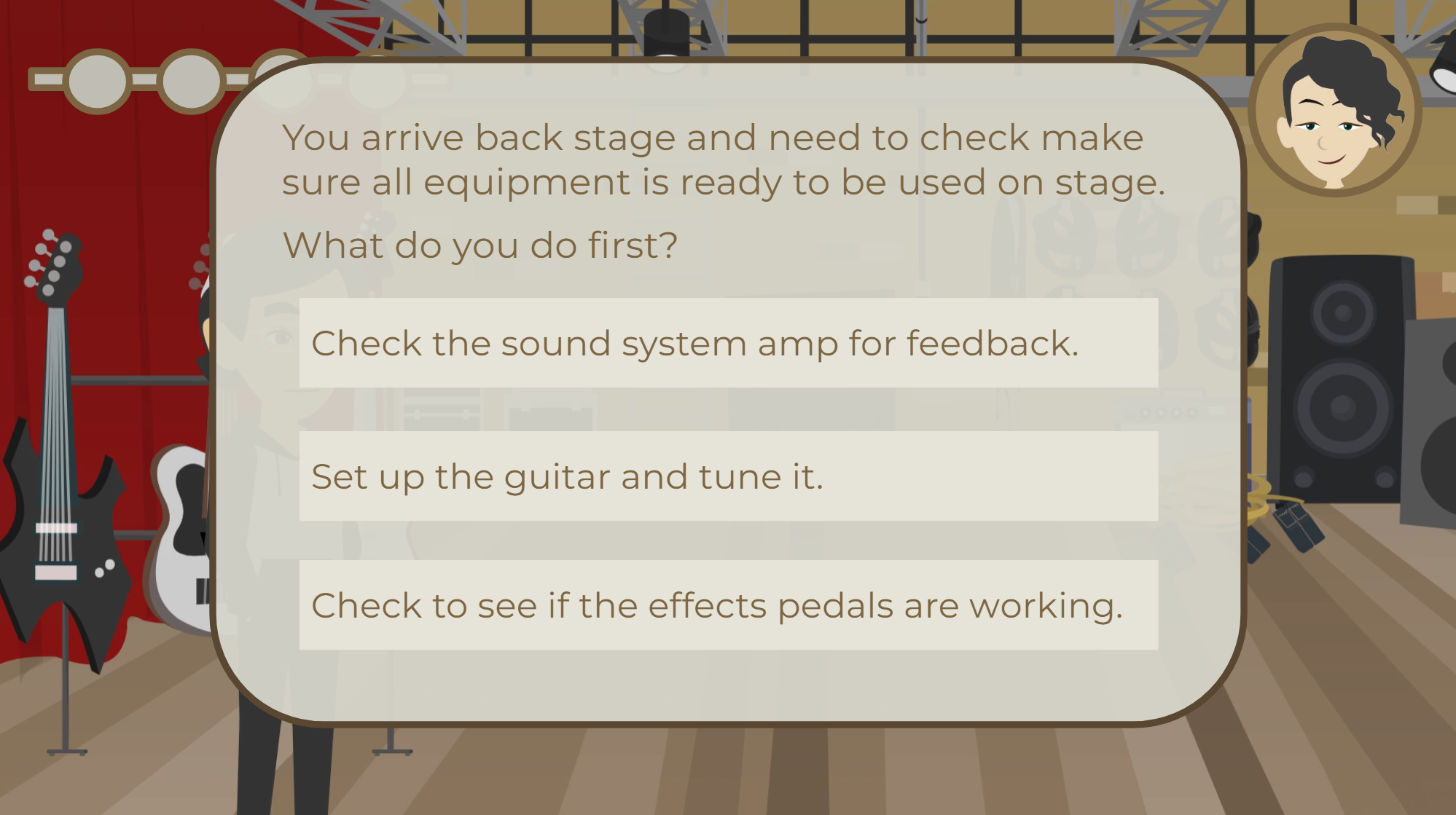

The Process
I designed this learning experience using the Successive Approximation Model (SAM), collaborating closely with technicians at every step to refine and shape the content. Their valuable feedback helped bring the scenarios to life, making sure the training mirrors the real challenges of troubleshooting live audio issues.
OVERVIEW
Preparation Phase: Defining Real-World Needs
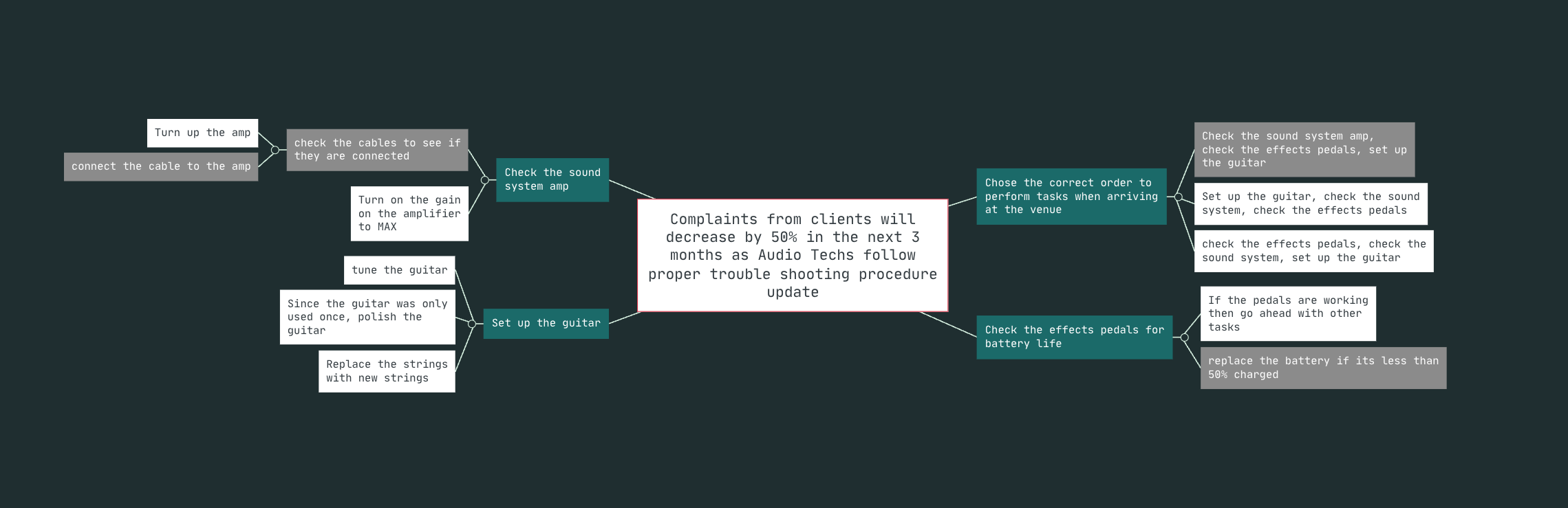
Image: Action Map illustrating the primary learning goal, followed by the specific, observable actions.
ACTION MAPPING
To build training that met the demands of live audio, I started with Action Mapping, a method that keeps learning focused on real-world performance. Instead of simply delivering information, I asked specific and relevant job-focused questions:
“What does troubleshooting success look like in a live performance?”
“What actions keep sound quality on track under pressure?”
Interviews with Advanced Sounds’ technicians highlighted key challenges like signal disruptions, guitar setup, and live sound dynamics. The training was designed to build core skills and confidence in high-pressure audio environments. From there, the focus shifted to handling customer complaints and rebuilding trust through interactive, hands-on learning that reflects real-world scenarios.
Iterative Design Phase: Building the Learning Framework
SCENARIO STORYBOARDING
This learning experience uses a narrative-driven, ‘choose-your-own-adventure’ format to immerse learners in the high-pressure world of live events, simulating real challenges and the consequences of their decisions.
The story follows a technician getting ready for a live event, facing real-world challenges like fixing signal issues and setting up a guitar. Along the way, a mentor character offers helpful tips and feedback, guiding learners as they develop troubleshooting skills and build their confidence.
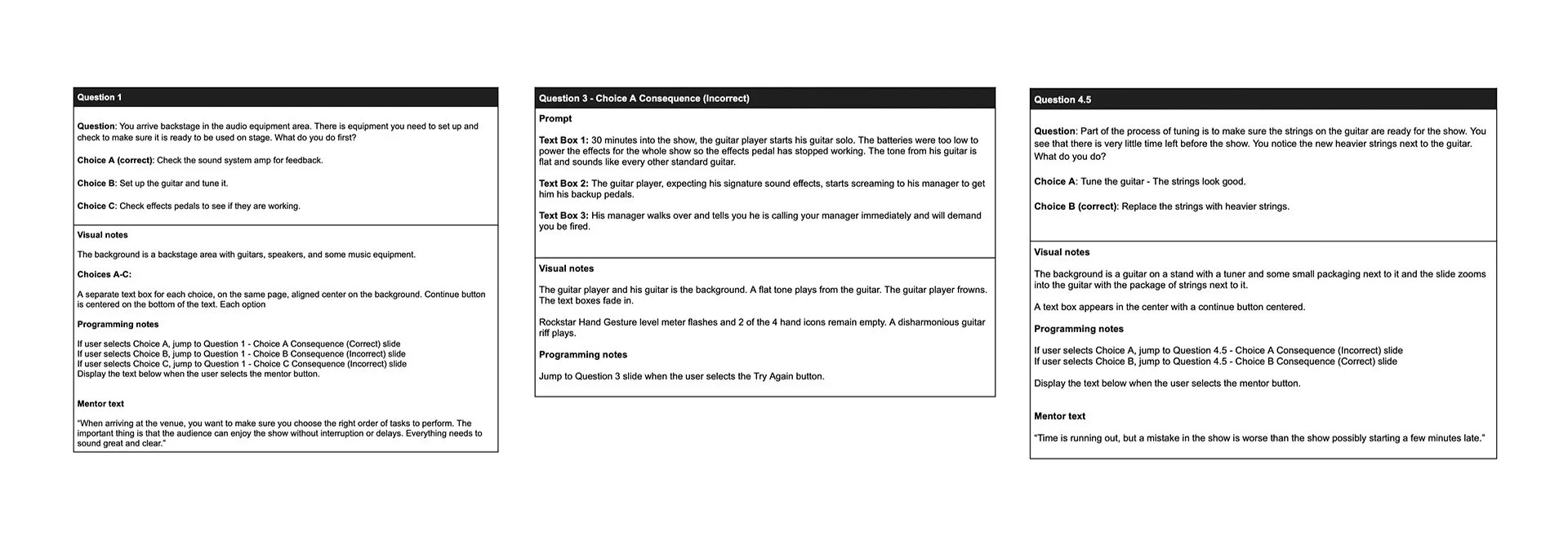
Image: Storyboard illustrating the structured learning flow, followed by key decision points
WIREFRAMES
I created detailed wireframes to map out the slide layouts, question prompts, and decision points, setting a clear foundation for the training. The layouts were simple and focused, with visuals and text balanced to highlight what part of the slide mattered most. For decision points, I mapped out intuitive paths, making navigation smooth and helping learners stay focused.
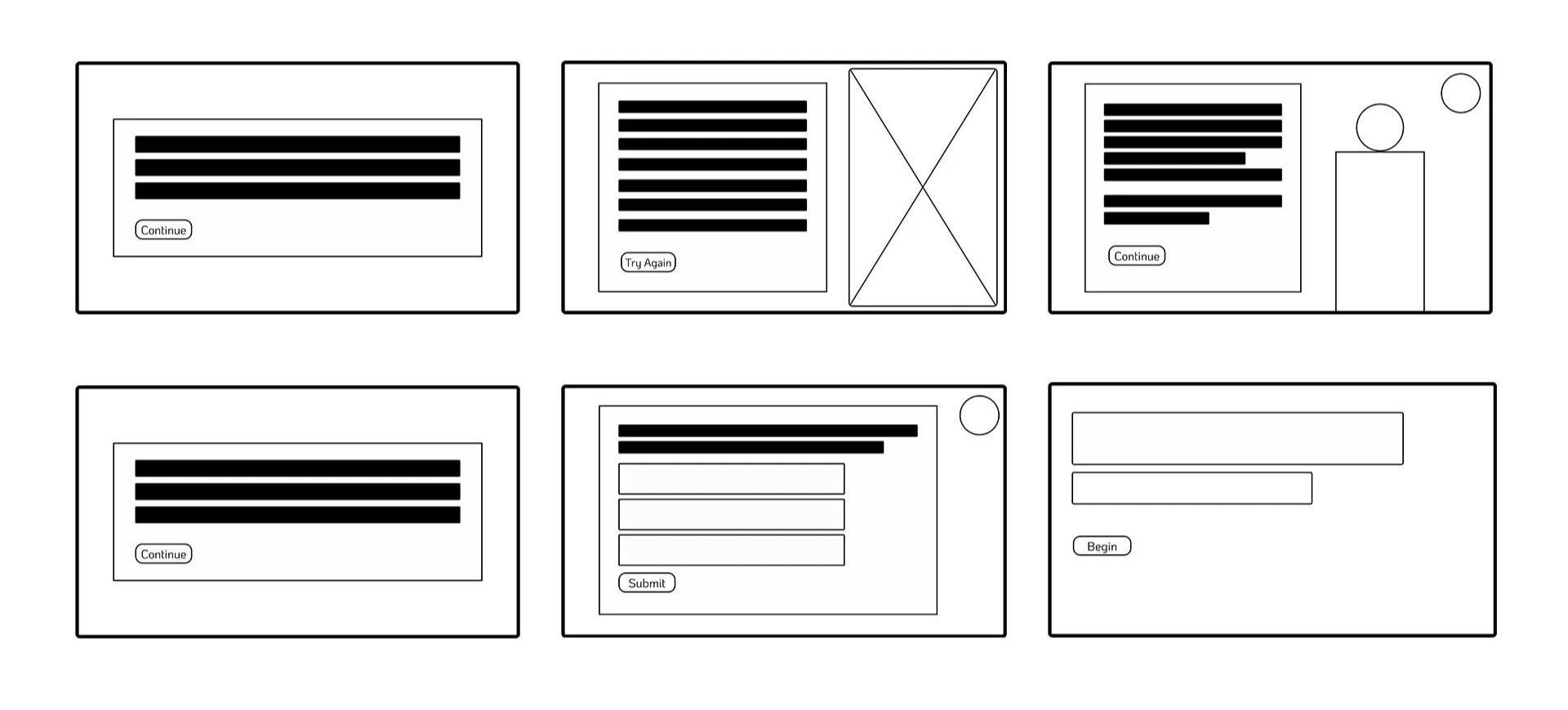
Image: Wireframes outlining interactive layouts and guiding user navigation.
STYLE GUIDE
The style guide defines the design standards, keeping the training clear and practical. A warm, neutral color palette makes it professional yet approachable, while clean typography keeps the content easy to read and follow for a consistent learning experience.
Buttons are clear and responsive, using bold primary colors and hover effects for selection. Mentor buttons feature character icons for a personal touch, while question buttons use softer tones with hover feedback to keep learners engaged. Text boxes highlight key details, making important information easy to find and read.
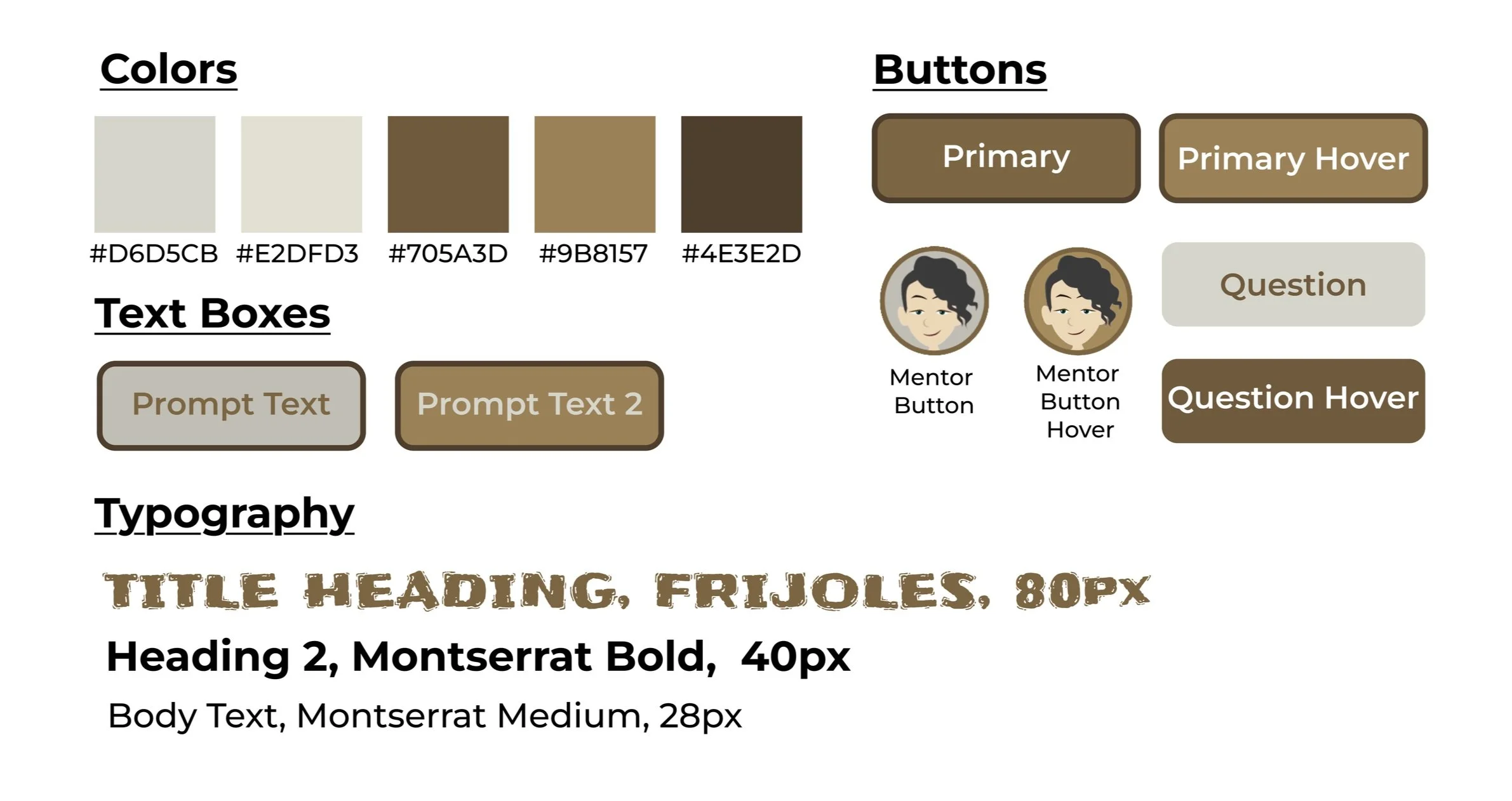
Image: Style guide highlighting design choices for clarity, accessibility, and seamless navigation.
HIGH FIDELITY MOCKUPS
I built high-fidelity mockups in Figma to connect planning with development, creating a design that feels intuitive and matches the tools technicians use daily. The UI keeps real tasks front and center with a clean, user-friendly layout that makes key info easy to find. Interactive elements guide learners through real-world scenarios, reinforcing workflows and boosting confidence for everyday challenges.
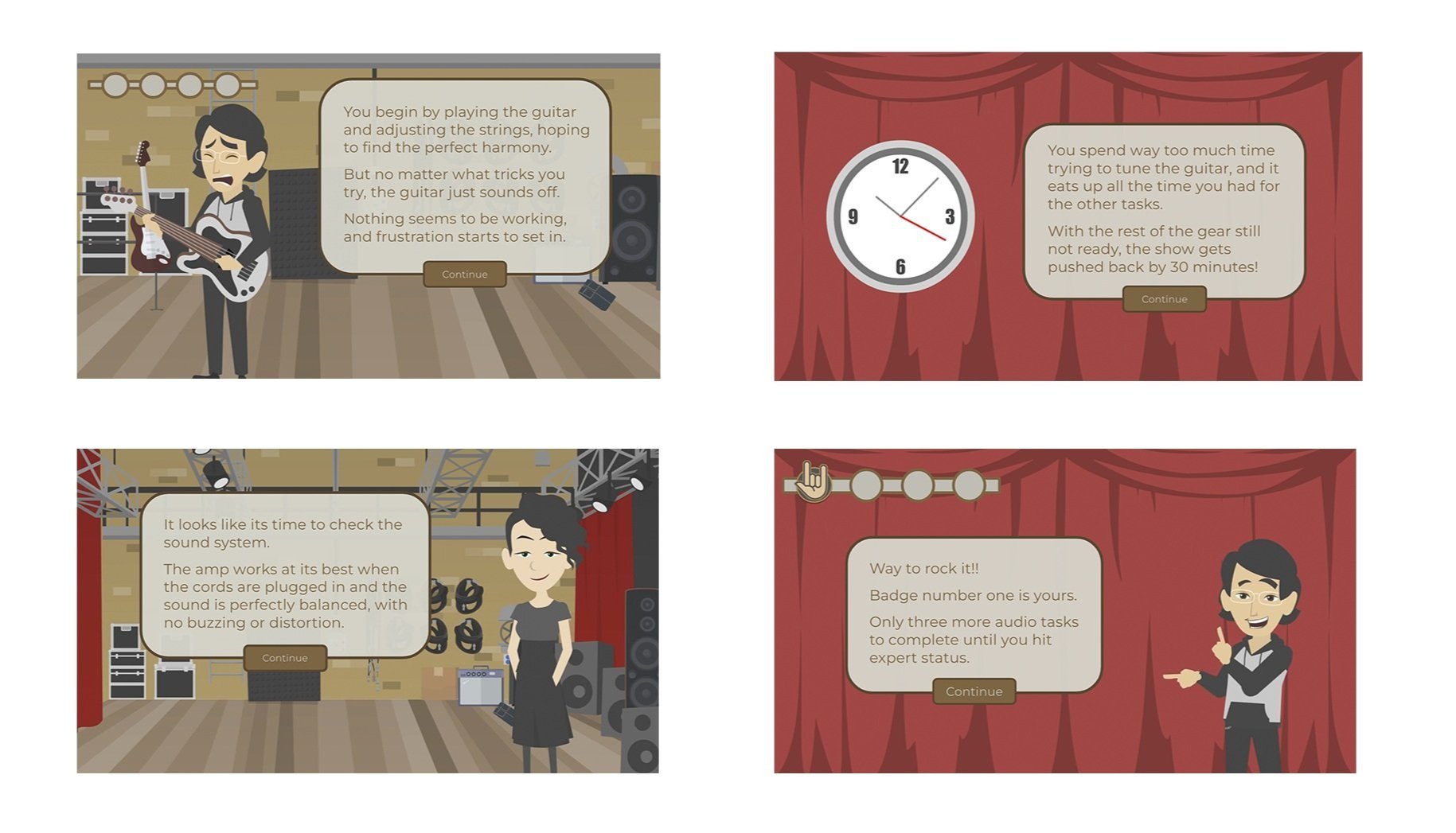
Image: High-Fidelity Mockups of the UI design, reflecting real-world tools and workflows.
Prototype Development & Feedback-Driven Iteration
I built an interactive prototype in Storyline 360 and Vyond, immersing learners in real scenarios with animations, branching decisions, and guided feedback. Each choice mirrored on-the-job problem-solving with practical support.
I designed the prototype to feel like a natural part of their workflow. After testing with technicians and managers, I used their feedback on difficulty, navigation, and interactivity to refine the experience, keeping it practical and engaging for all users.
Iterative Development Phase: Perfecting the Experience
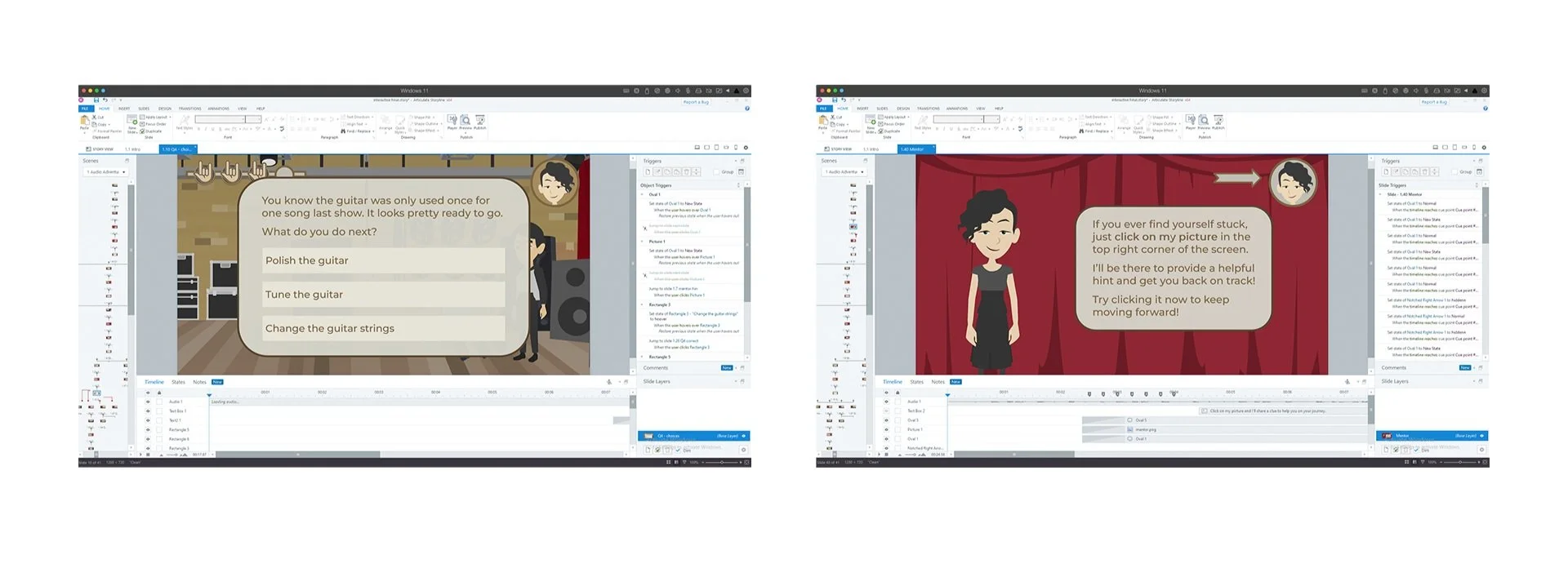
Image: Storyline screenshots illustrating the interactive framework prototypes.
Pilot Testing & LMS Deployment
I ran pilot tests with new hires and experienced technicians to make sure that the learning experience was practical and met their needs. Their feedback highlighted areas for improvement, making the course clearer and more relevant.
New hires pointed out where they needed more guidance, so I adjusted the flow for better clarity. Experienced technicians provided real-world insights, refining the scenarios for more practical training.
After testing, I deployed the training through the LMS to track progress and scale it. The LMS data on completion rates, assessment scores, and time-on-task provided insights into skill retention and areas needing more support.
IMPLEMENTATION Phase: DEPLOYMENT & FINAL TESTING
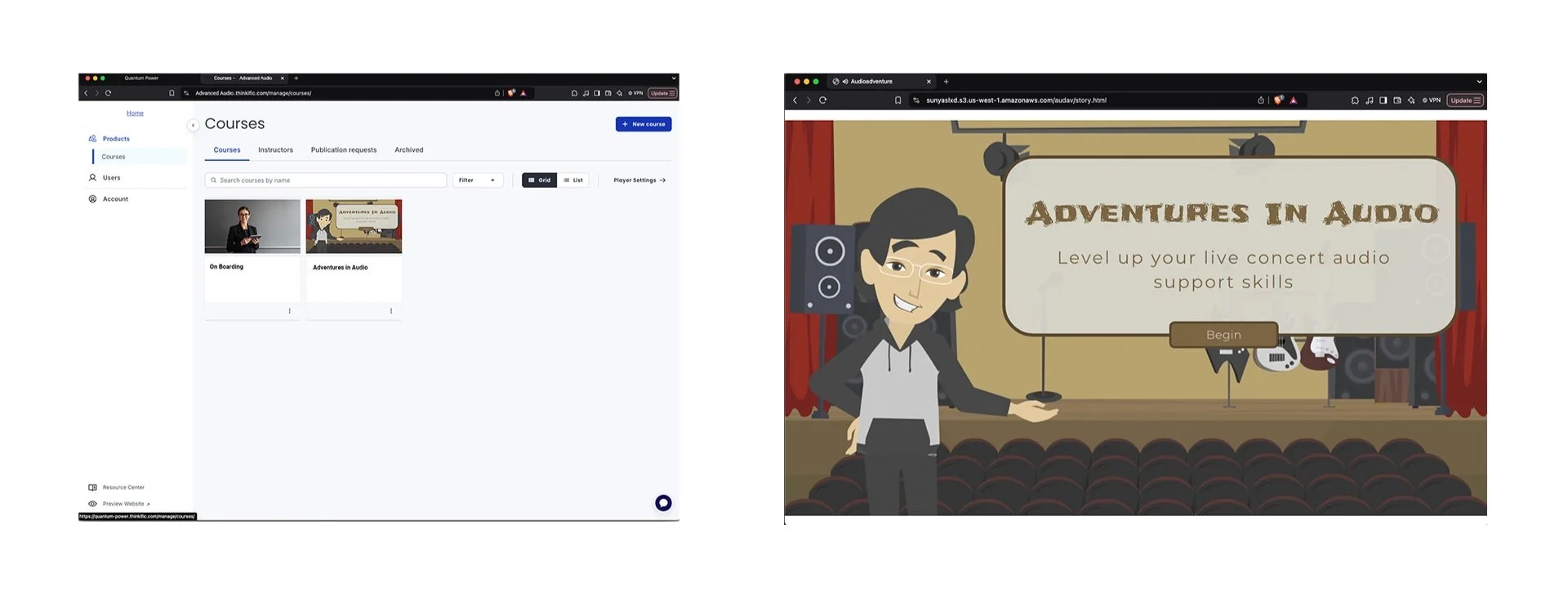
Image: Screenshots showing Learning Management System.
Performance Analytics & Ongoing Updates
After launching the training, I reviewed the LMS analytics and gathered feedback from learners to understand how the course was performing in real-world situations.
LMS data showed drop-off points in complex scenarios, so I clarified navigation and instructions. Assessments flagged struggles with signal disruptions and customer communication, leading to content refinements for real-world use. Time-on-task data revealed slow decision points, so I streamlined them for better flow. Learner surveys highlighted realism and confidence gaps, helping me identify any usability issues.
Using all of this feedback, I made targeted updates to the training, refining the navigation, increasing engagement, and aligning the scenarios even more closely with real-world tasks.
EVALUTATION Phase: MEASURING SUCcESS
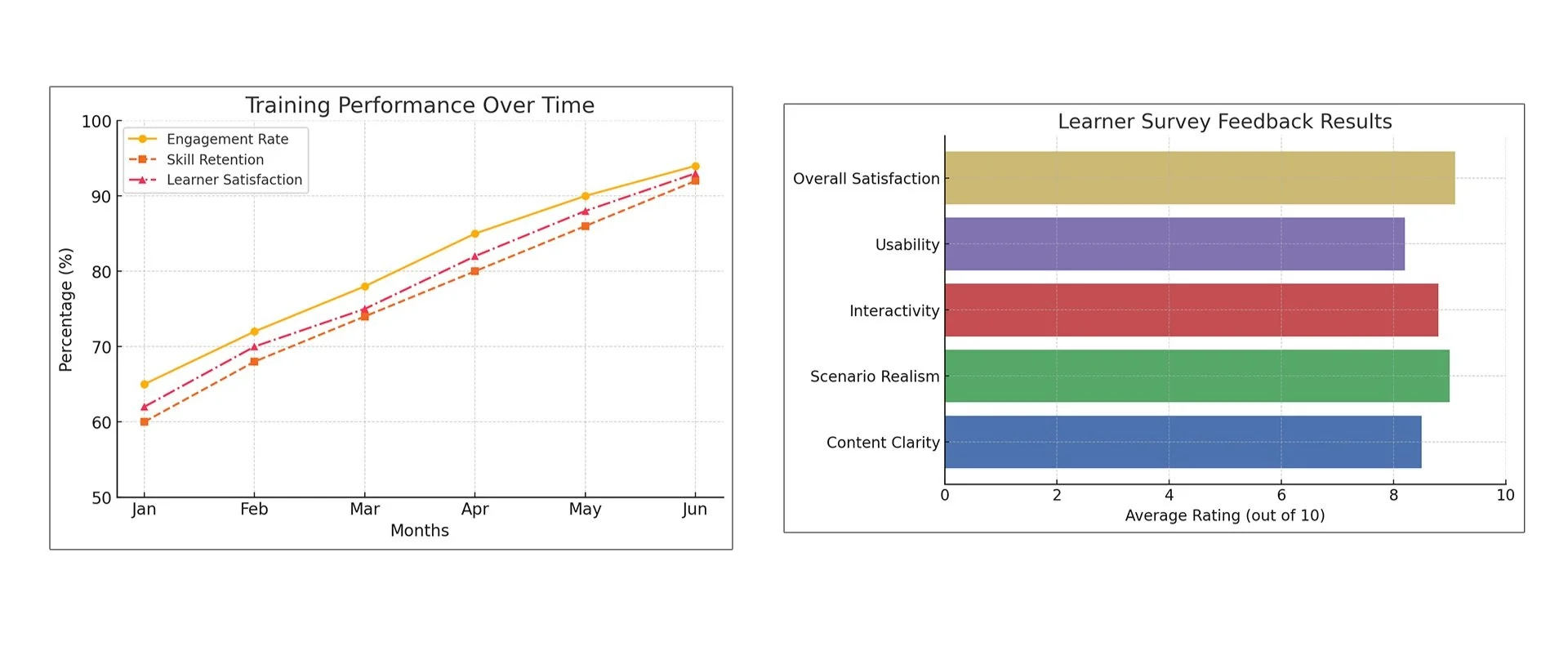
Image: Graphs showing analytics for the evaluation process.
REFLECTIONS AND TAKEAWAYS
This project really showed me the impact of hands-on, interactive learning. I designed a training module that connected real-world challenges with core concepts, helping learners build confidence, adapt to new situations, and improve their problem-solving skills. When the material is closely tied to real-world tasks, it gives learners the confidence to apply their skills when facing similar challenges in the future.
Key take aways:
An iterative approach makes learning stronger: SAM’s iterative design process reinforced the importance of continuous refinement. By testing, iterating, and adjusting, I kept the training intuitive, engaging, and directly applicable to live audio management challenges.
Scenarios should reflect the workplace: Effective learning prepares people for real job demands. This project refined troubleshooting scenarios, decision-making paths, and interactive activities to help technicians gain confidence in a safe learning environment.
Visual learning enhances understanding: Vyond animations and Storyline 360 interactivity turned complex concepts into clear, engaging experiences. Watching troubleshooting scenarios play out reinforced decision-making skills.
Data-driven improvements boost engagement: LMS analytics and learner feedback guided adjustments to pacing, navigation, and engagement to improve the course. This reinforced the idea that great training is optimized over time.